![[Spring] 동적 페이지 만들기](https://img1.daumcdn.net/thumb/R750x0/?scode=mtistory2&fname=https%3A%2F%2Fblog.kakaocdn.net%2Fdna%2FFFnkV%2FbtrsA6Fu5fz%2FAAAAAAAAAAAAAAAAAAAAANwT77PFxu5z86AUWr1SIAVM6V29bWF3wfXlKhVz73-M%2Fimg.png%3Fcredential%3DyqXZFxpELC7KVnFOS48ylbz2pIh7yKj8%26expires%3D1788188399%26allow_ip%3D%26allow_referer%3D%26signature%3D7BNfZPqFj5QUS%252BqV6EKLwpFUShU%253D)
동적 페이지
정적 페이지와 다르게 동적 페이지는 controller와 데이터를 주고받는다. controller 코드를 본 후 하나씩 의미를 알아보겠다.
    @GetMapping("hello")
    public String hello(Model model) {
        model.addAttribute("data", "hello!!");
        return "hello";
    }
위의 코드를 작성하기 전에 클래스 위에 @Controller를 작성하여서 스프링이 인식하게 해 준다.
- @GetMapping("hello"): localhost:8080/hello가 입력되면 사용될 컨트롤러라는 뜻이다.
- (Model model): 컨트롤러에서 값을 전달할 때 model에 담아서 전달한다.
- model.addAttribute("data", "hello!!): data라 적힌 곳에 hello!! 를 전달해준다. (뒤에 html 코드 보면 이해 가능.)
- return "hello": hello.html 파일이 화면에 나오게 viewResolver에게 전달한다. (viewResolver는 리턴 값을 받아서 화면 처리해주는 역할이다.
다음으로 view 페이지를 확인해 보겠다.
<!doctype html>
<html xmlns:th="http://www.thymeleaf.org">
<head>
    <meta charset="UTF-8">
    <meta name="viewport"
          content="width=device-width, user-scalable=no, initial-scale=1.0, maximum-scale=1.0, minimum-scale=1.0">
    <meta http-equiv="X-UA-Compatible" content="ie=edge">
    <title>hello</title>
</head>
<body>
<p th:text="'안녕하세요. ' + ${data}">안녕하세요. 손님</p>
</body>
</html>- xmlns:th="http://www.thymeleaf.org": view 페이지를 다룰 때 사용하는 여러 언어가 있다. 내가 보는 강의에서는 thymeleaf를 사용한다. thymeleaf를 사용한다는 뜻이다.
- <p th: text="'안녕하세요. ' + ${data}">안녕하세요. 손님</p>: ${data}가 포인트인데 data는 위에 컨트롤러에서 작성했던 model.addAttribute("data", "hello!!)의 data와 같다. data를 hello!!로 치환해서 출력해준다. 안녕하세요. 손님은 서버가 제대로 작동하지 못하였을 때 보여줄 대체 텍스트이다.
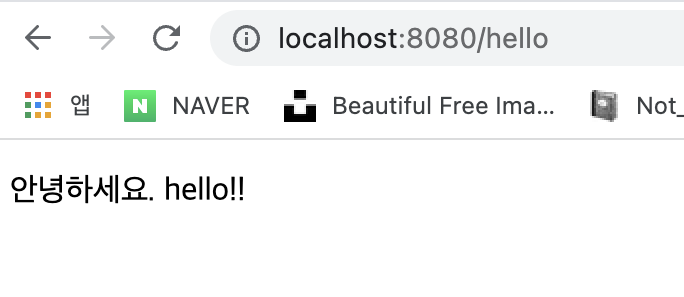
이번에는 인자를 직접 입력하는 것이 아닌 입력을 받아서 작동하게 컨트롤러를 작성해보겠다.
@GetMapping("hello-mvc")
    public String helloMvc(@RequestParam("name") String name, Model model){
        model.addAttribute("name",name);
        return "hello-template";
}- @GetMapping("hello-mvc"): localhost:8080/hello-mvc가 입력되면 사용될 컨트롤러.
- @RequestParam("name") String name: 사실 RequestParam이 있어서 주소를 localhost:8080/hello-mvc만 작성하는 것이 아니라 localhost:8080/hello-mvc?name=spring이라고 작성해주어야 한다. @RequestParam("name")에서 name은 localhost:8080/hello-mvc?name=spring이라고 작성했을 때 ?뒤에 있는 name을 뜻한다. 즉 @RequestParam("name")이 문장은 name에 인자를 받아올게 라는 뜻이며 그것을 String name에 저장한다는 뜻이다. 단어가 같아서 말이 복잡하므로 예시를 들어 설명하면 @RequestParam("teho") String name이라 작성하면 주소는 localhost:8080/hello-mvc?teho=spring으로 바뀐다. 그러면 teho가 받아온 spring을 string name에 담는 것이다.
그다음은 동일하다. view 페이지에 있는 "name"을 아까 spring을 담았던 name으로 대체해서 hello-template을 viewResolver에게 리턴해준다.
@ResponseBody(API)
앞선 예들은 viewResolver를 사용해서 데이터를 가공해서 전달했다. 이번에는 @ResponseBody를 사용하여 viewResolver를 사용하지 않고 브라우저에 전달해보겠다.
 @GetMapping("hello-string")
    @ResponseBody
    public String helloString(@RequestParam("name") String name) {
        return "hello " + name;

    }
이전과의 차이가 세 가지 있다. @ResponseBody를 사용한 것과 Model을 사용하지 않았고 return을 작성해둔 html 파일 이름을 사용하지 않았다. 이 경우 localhost:8080/hello-string?name=teho를 입력했을 때의 결과 창과 이전 예제들 즉 ResponseBody를 사용하지 않았던 예제의 소스 코드를 비교해보겠다.
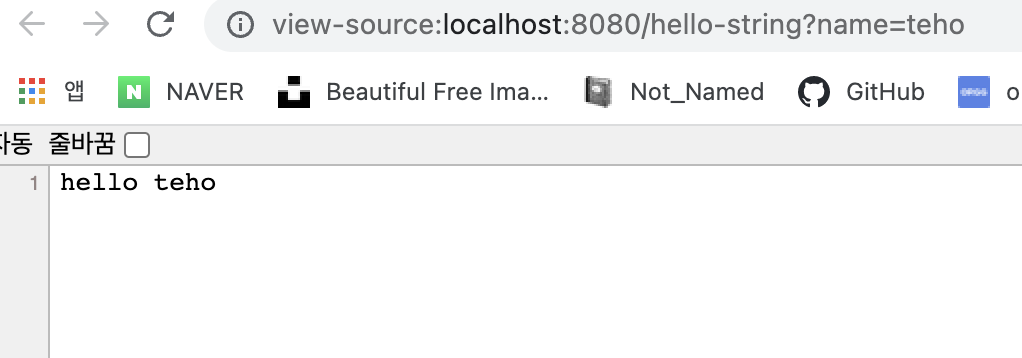
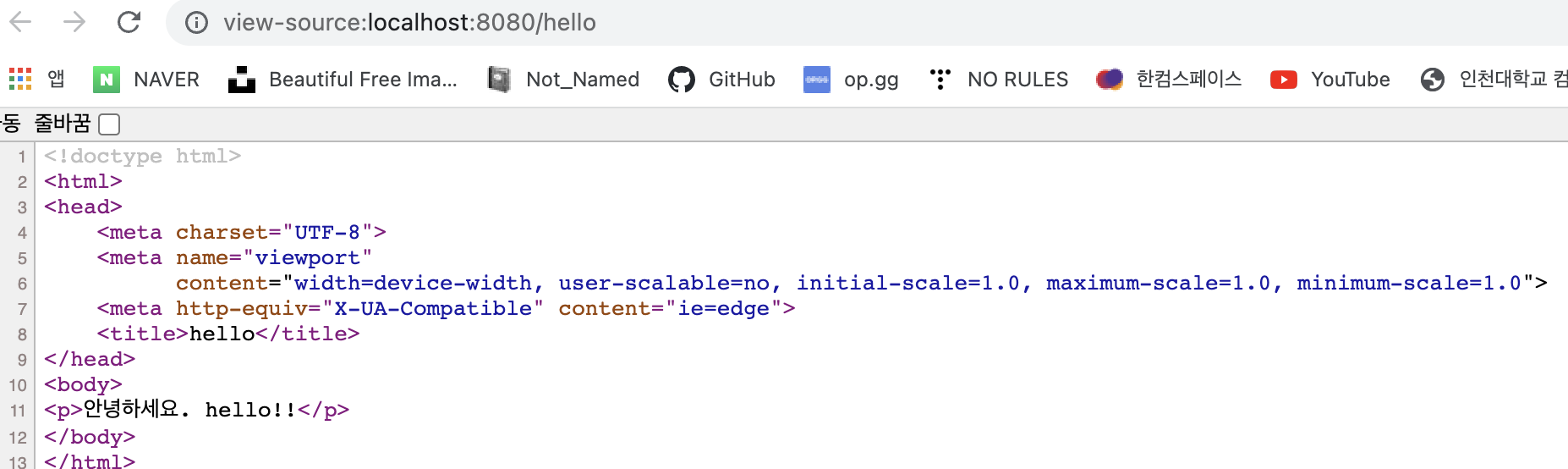
차이가 극명하게 보인다. viewResolver를 사용하지 않는 첫 번째 사진은 html태그들로 감싸 져있지 않고 return에 작성된 그대로 보인다.
이번에는 객체를 반환할 경우를 살펴보겠다.
@GetMapping("hello-api")
    @ResponseBody
    public Hello helloApi(@RequestParam("name") String name) {
        Hello hello = new Hello();
        hello.setName(name);
        return hello;
    }

    static class Hello{
        private String name;
        public String getName() {
            return name;
        }

        public void setName(String name) {
            this.name = name;
        }
    }
}
json형태로 감싸 져서 전달된다. 여기서 json 말고도 다른 형태로도 전달할 수 있는데 자세한 건 다음 강의 시리즈에서 알려준다 하셨다..
이런 경우를 사용하는 경우는 서버끼리 데이터를 주고받을 때 굳이 이쁘게 가공할 필요 없으니까 사용하면 될 거 같다.
'Spring' 카테고리의 다른 글
| [Spring] 스프링 컨테이너 & 스프링 빈 조회 (4) | 2022.07.20 |
|---|---|
| [Spring] AppConfig (0) | 2022.07.16 |
| [Spring] Test (0) | 2022.07.16 |
| [Spring] 객체지향 기본 개념 (0) | 2022.07.12 |
| [Spring] welcome page, 정적 페이지 만들기 (3) | 2022.02.06 |